
Der Weg von Rohdaten zu echten Erkenntnissen sollte kein Bottleneck sein.

Sofortige Antworten – ganz ohne auf Reports zu warten.

Stelle Follow-up-Fragen direkt im selben Chat.

Funktioniert für technische und nicht-technische Teams gleichermaßen.

Kompatibel mit jedem MCP-Client oder AI-Assistant-Desktop-Tool.
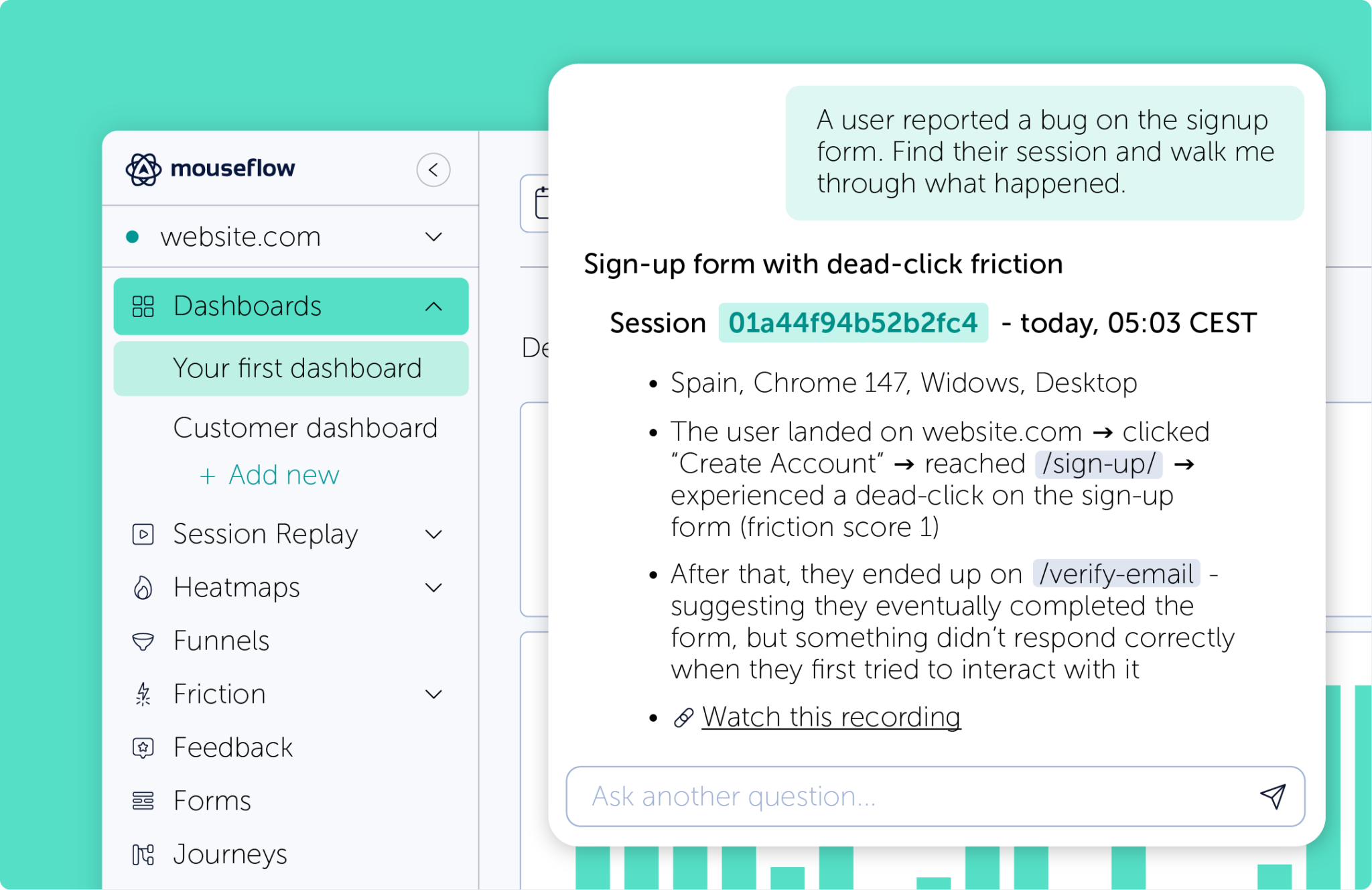
Erhalte sofort Antworten zu deinen Mouseflow-Daten.
Der Mouseflow MCP Server stellt unsere REST API über ein Interface in natürlicher Sprache bereit. Stelle deine Fragen einfach in normaler Sprache – und erhalte strukturierte Daten als Antwort.
Funktioniert direkt in deinem AI Assistant oder MCP-Client. Sessions, Heatmaps, Funnels, Feedback und weitere Insights lassen sich direkt im selben Chat teilen.
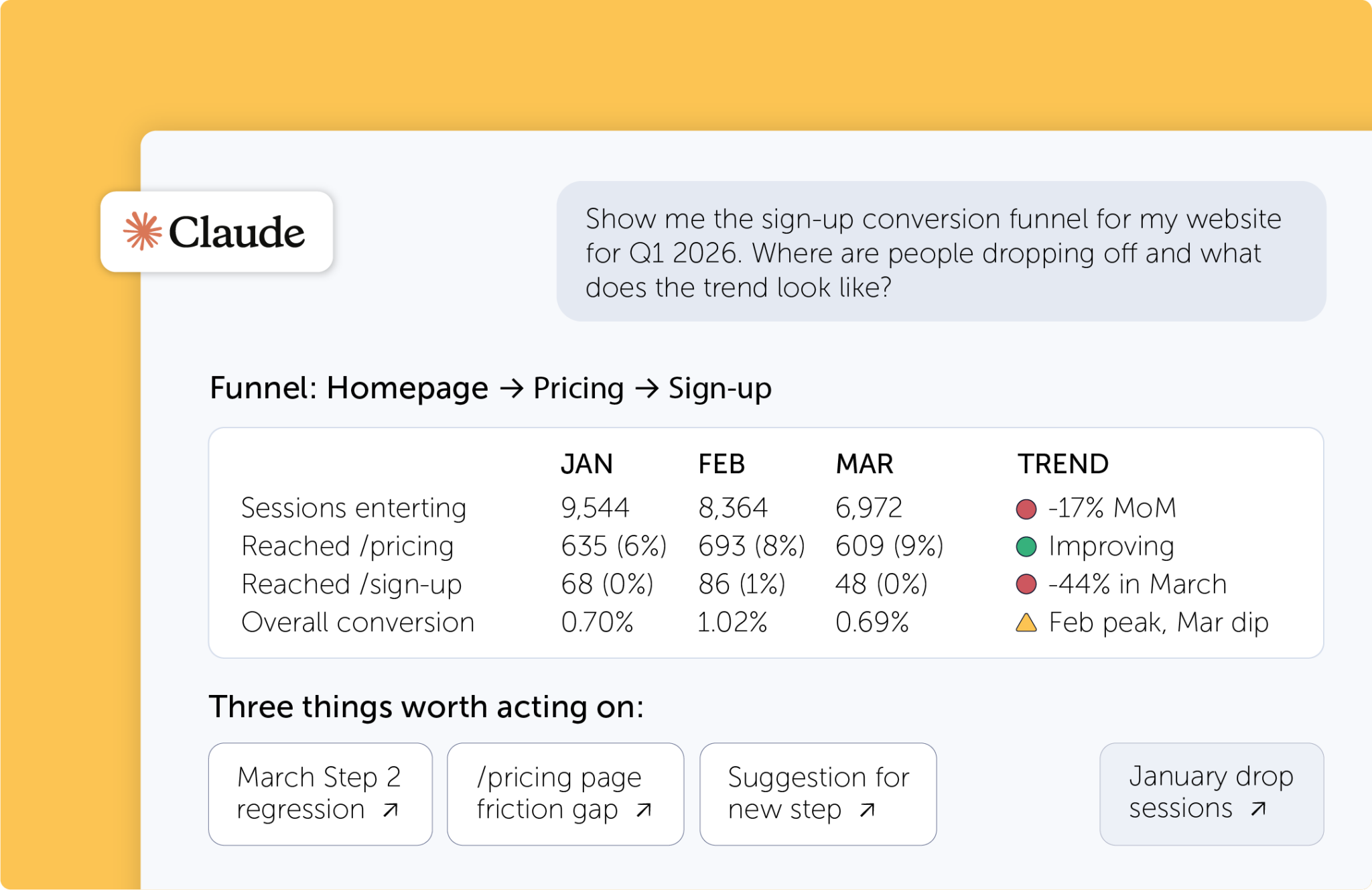
Daten für alle – nicht nur für Expert:innen
Nach der Installation kann jedes Teammitglied Insights abrufen – ganz ohne technisches Know-how. Ob Marketing, Product oder CX: Alle mit Zugriff auf einen AI Assistant bekommen in Sekunden Antworten und können mit Follow-up-Fragen direkt tiefer einsteigen. Kein Context Switching, kein Suchen in der Dokumentation.
Alles in Mouseflow – direkt per Konversation verfügbar

FAQ

The Mouseflow MCP Server connects AI assistants like Claude Desktop and other MCP-compatible clients directly to your Mouseflow analytics data. It allows users to query recordings, heatmaps, funnels, forms, feedback, friction insights, dashboards, and aggregated metrics using natural language prompts.
MCP (Model Context Protocol) is an open standard that allows AI models (like Claude or ChatGPT) to securely connect to external data sources and tools. Think of it as a “USB-C for AI” – it provides a universal language so AI systems can query databases, read local files, and interact with other apps without needing custom integrations.
You can analyze session recordings, heatmaps, funnels, user feedback, form performance, friction events, and dashboard metrics. The server also supports querying aggregated behavioral insights across websites and projects, helping AI assistants provide deeper UX and conversion analysis.
The Mouseflow MCP Server works with MCP-compatible AI clients, including Claude Desktop and other AI assistant desktop apps that support the Model Context Protocol (MCP).
Yes. A valid Mouseflow API key is required to connect the MCP Server to your account. If you can generate an API key inside the Mouseflow app, your current plan supports MCP access.
For the best results, projects should have properly configured recordings, heatmaps, funnels, forms, and feedback tools enabled. Organizing key conversion pages and collecting consistent feedback helps AI assistants generate more accurate dashboards, friction analysis, and UX recommendations.
Yes. The Mouseflow MCP Server supports custom skills and workflows that extend your AI assistant’s capabilities. Teams can build reusable prompts and analysis flows tailored to specific UX, CRO, or customer research tasks.
The Mouseflow MCP Server is available on Growth and Premium plans (and above). Availability is tied to API access within your Mouseflow account.