

If only you could sit next to your customers and watch how they use your website, where they struggle, and what catches their attention.
That’s essentially what session replay allows you to do. It recreates real user sessions so you can see how visitors navigate and interact with your website or web app.
Instead of guessing what happened between a pageview and a conversion, drop-off, or error, you can see the experience from the user’s perspective.

What Is Session Replay?
A session replay, also commonly called a session recording, is a reproduction of a captured website user session that can be replayed on demand. It recreates what a user saw and how they interacted with a website or web app during their visit.
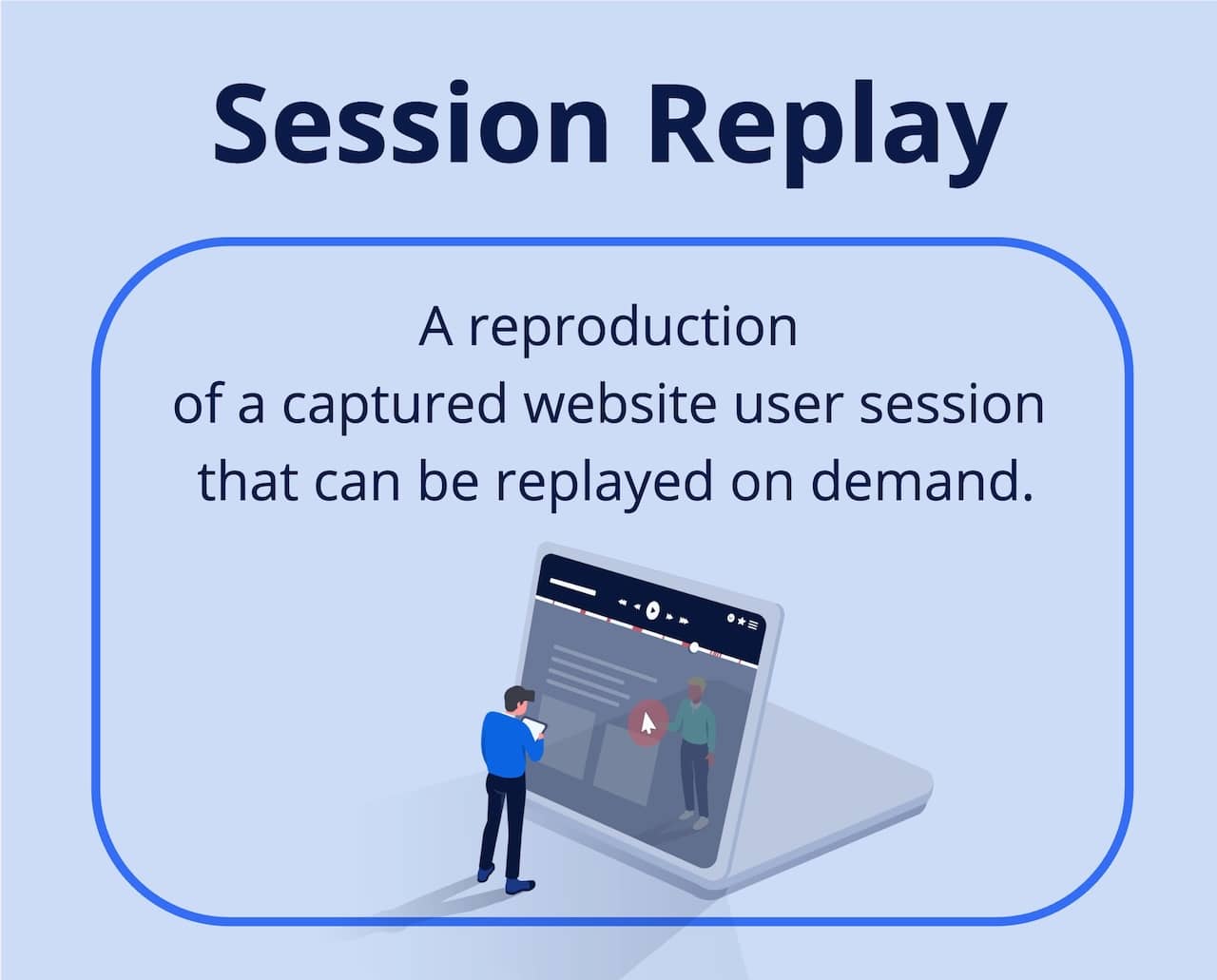
Reviewing session replays allows you to analyze the experience a website visitor had as if you had been sitting right next to them. You can see how they navigate pages, where they click or tap, how far they scroll, and where they encounter friction.
To capture and replay these interactions, you need a session replay tool. Rather than recording a video of a visitor’s screen, session replay technology captures relevant browser and interaction data and uses it to reconstruct the session for later playback.
Here’s an example of how session replay looks:
How Does Session Replay Work?
Session replay works by capturing changes and user interactions that happen in the browser during a website visit and using that data to reconstruct the session for later playback.
Unlike a traditional video recording, session replay recreates the experience from captured browser and interaction data. This makes it possible to see how a visitor experienced and interacted with a website without continuously recording their screen.
What Does Session Replay Capture
When a webpage loads, the browser creates a Document Object Model (DOM), which represents the structure and content of the page. Session replay technology captures an initial representation of the page along with changes to the DOM that happen during the session.
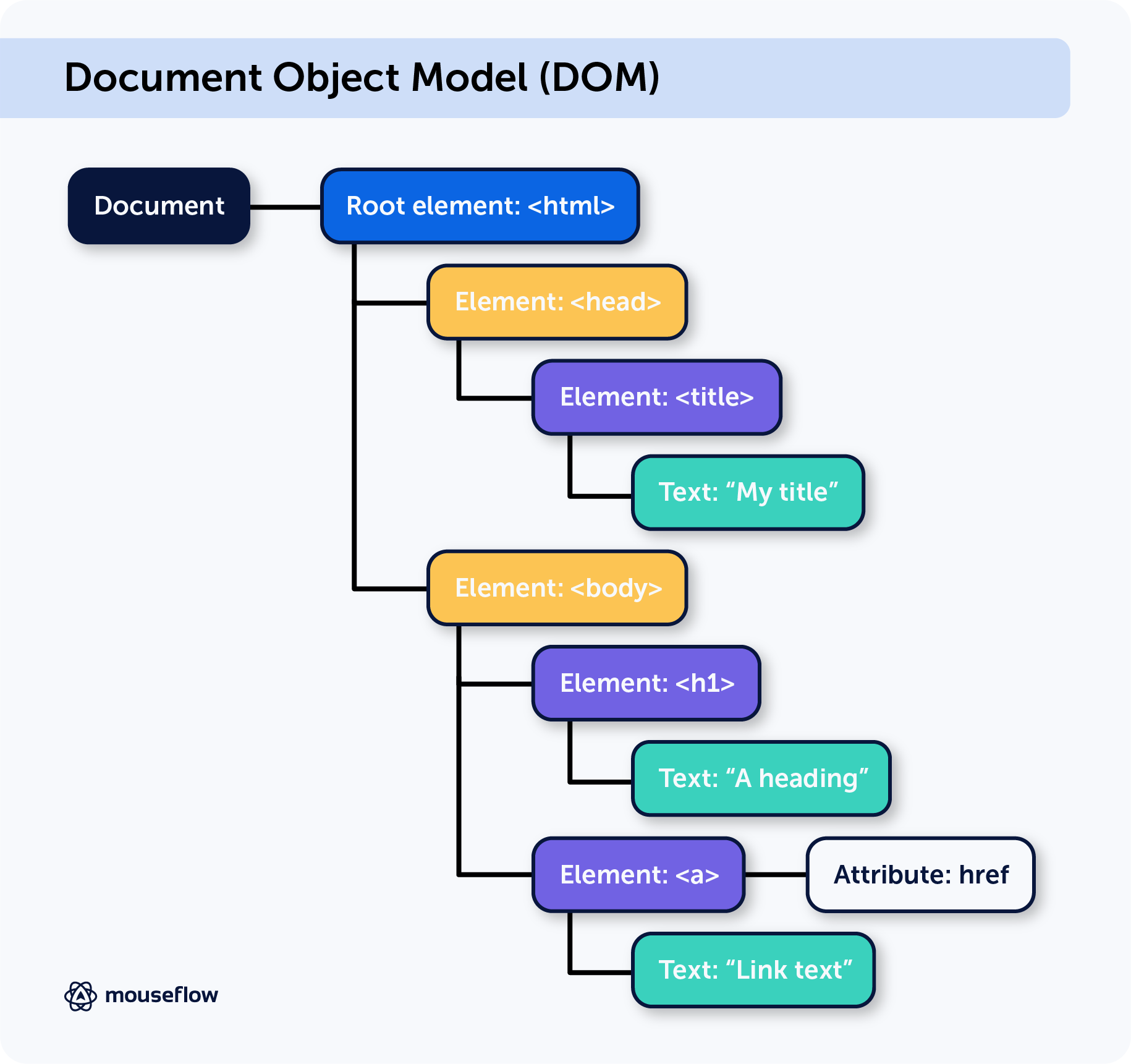
It also captures relevant browser and interaction data, allowing the session replay to reconstruct what appeared on the visitor’s screen as they navigated and interacted with the website.
This is an important distinction from CCTV or traditional screen recording. A session replay may look like a video when you watch it, but it is a reconstruction of the user’s experience rather than a continuous video recording of their screen.
📖 If you want to understand the technology in more detail, read our guide to how session replay works.
What Does Session Replay Track?
Session replay can track a range of interactions and events that help recreate what a visitor did during a website session. Depending on the session replay solution and its configuration, these can include:
- Clicks and taps: Where users click or tap on buttons, links, images, and other page elements.
- Mouse movements: How visitors move their cursor across a page.
- Scrolling: How far users scroll and how they move through page content.
- Navigation: How visitors move between pages and different parts of a website.
- Form interactions: How users interact with form fields, including where they hesitate, skip fields, or abandon a form.
- Page and element changes: Dynamic changes during the session, such as menus opening, pop-ups appearing, or page content updating.
Together, these interactions recreate the sequence of events that made up the visitor’s session, giving you context that pageviews and aggregated metrics alone cannot provide.
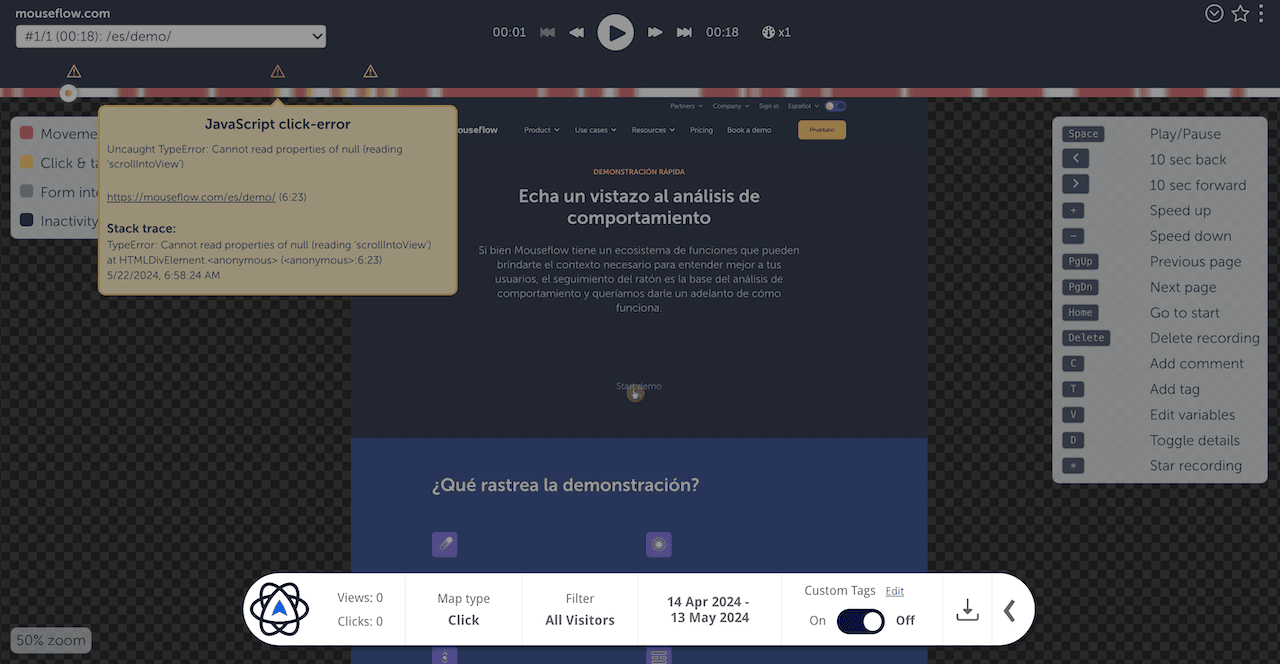
As session replays capture DOM with all user events, it’s possible to identify exact errors and put them on the timeline of the replay
What Are the Benefits of Session Replay?
Session replay helps you understand what happens between the numbers in traditional web analytics. Instead of only seeing that a visitor bounced, abandoned a form, or failed to convert, you can watch the session and investigate what may have contributed to that behavior.
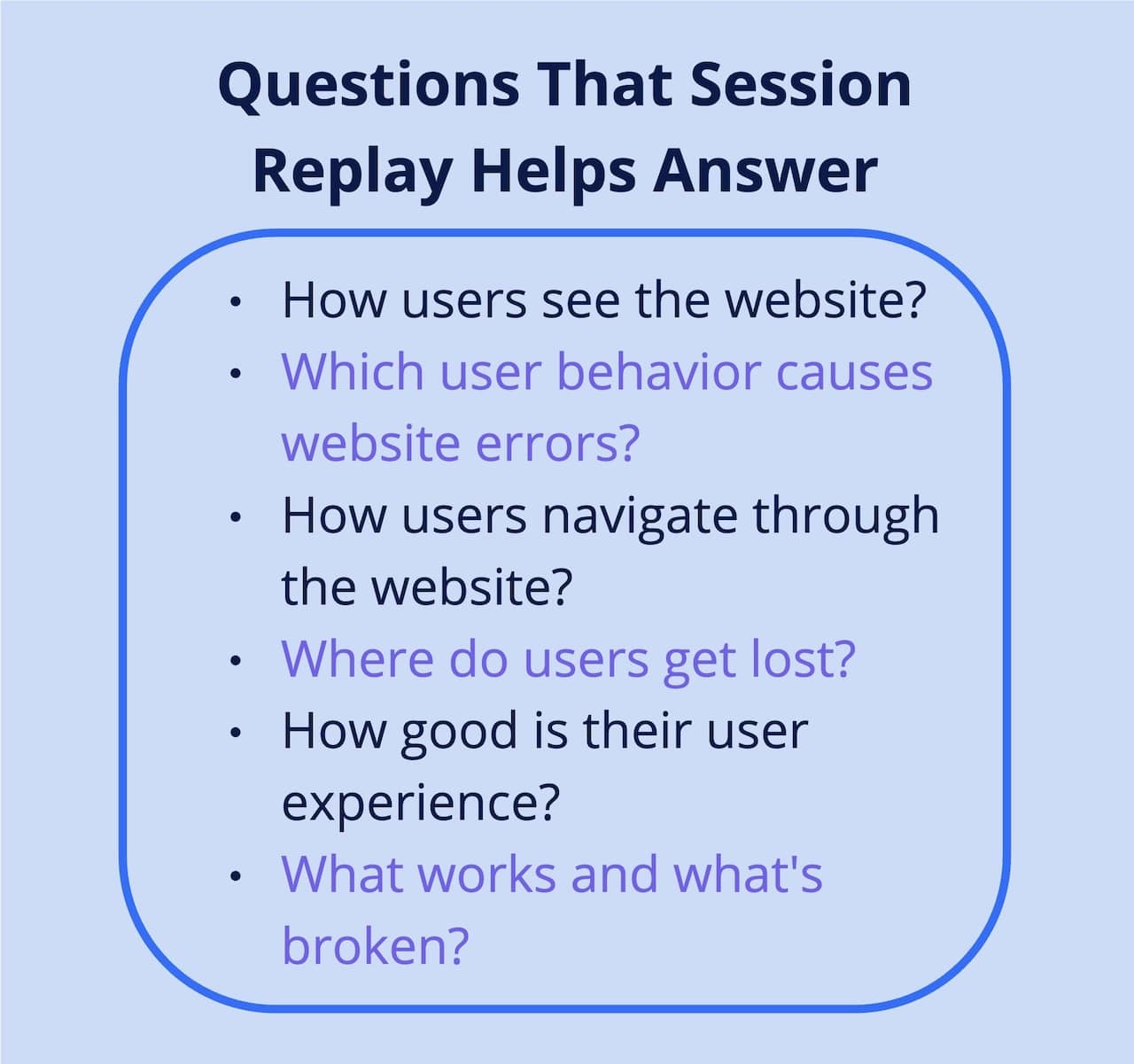
Some of the main benefits of session replay include:
- See how people actually use your website: Observe how visitors navigate pages, interact with content, and move through key user journeys.
- Identify friction and usability issues: Spot behaviors that can indicate frustration or confusion, such as repeated clicks, hesitation, unexpected navigation, or difficulty interacting with page elements.
- Understand why users drop off: Add behavioral context to quantitative data when investigating exits, abandoned forms, or conversion funnel drop-offs.
- Find opportunities to improve conversions: See where visitors encounter obstacles on landing pages, product pages, forms, checkout flows, and other important conversion paths.
- Investigate technical and UX problems: Reproduce the experience surrounding errors, broken elements, or unexpected website behavior instead of relying only on reports that something went wrong.
- Build a shared understanding of the user experience: Marketing, UX, CRO, product, and analytics teams can use the same behavioral evidence when investigating website performance and prioritizing improvements.
📖 Session replays can reveal much more than individual clicks or pageviews. For practical examples, see what you can learn from recording your website visitors.
Who Uses Session Replay?
Session replay can support different teams across an organization because the same user behavior can answer very different questions. Marketing teams might investigate landing page performance, while UX teams look for usability issues and product teams examine how people interact with new experiences.
Here are some of the most common ways teams use session replay.
Marketing Teams
Marketing teams can use session replay to understand what happens after visitors arrive from campaigns, search, email, or other channels. Watching how people interact with landing pages and key content can help uncover friction, unclear messaging, or distractions that traditional campaign metrics may not explain.
This behavioral context can help marketers investigate why traffic with similar acquisition metrics produces different outcomes and identify pages or experiences that deserve closer attention.
CRO Teams
CRO teams can use session replay to add qualitative context to conversion data and identify potential opportunities for experimentation.
For example, recordings can reveal where visitors hesitate, repeatedly interact with an element, abandon a process, or encounter unexpected obstacles. These observations can help CRO teams develop stronger hypotheses before testing changes rather than relying on assumptions alone.

Nothing convinces stakeholders better than a video demonstration of users failing epically on your website.
eCommerce Teams
Ecommerce teams can use session replay to investigate behavior throughout the shopping journey, from product discovery and product pages to cart and checkout.
Recordings can help reveal where shoppers struggle to find information, interact unexpectedly with page elements, hesitate during checkout, or abandon a purchase journey. Teams can then use these observations alongside ecommerce and conversion data when deciding what to investigate or optimize.
UX Teams
UX teams can use session replay to observe how real visitors interact with interfaces in their natural context.
Recordings can reveal usability problems that may be difficult to identify from aggregate analytics alone, such as confusing navigation, overlooked elements, unexpected interaction patterns, or interfaces that do not behave as users expect. This can provide additional behavioral evidence when evaluating designs and prioritizing UX improvements.
Product Teams
Product teams can use session replay to understand how people interact with website or web-app experiences after they are released.
By observing real sessions, teams can investigate adoption of new experiences, unexpected behavior, friction in important workflows, and areas where the actual user experience differs from what was intended.
Analytics Teams
Analytics teams can use session replay to add behavioral context to patterns identified in quantitative data.
When analytics shows an unusual drop-off, conversion change, or unexpected journey, relevant session replays can help teams investigate what visitors experienced around that event. This makes session replay a useful complement to traditional web and product analytics rather than a replacement for them.
How to Analyze Session Replays
Watching session replays is most useful when you approach them with a specific question rather than browsing recordings at random. Start with something you want to understand, such as why users abandon a key page, struggle with a form, or fail to complete a conversion journey.
From there, you can narrow down the sessions that are most relevant to your question and look for recurring patterns in user behavior.
Filter the Sessions You Want to Analyze
Instead of watching every recording, use filters to focus on sessions that match what you are investigating. Depending on your session replay tool, you may be able to filter recordings by factors such as:
- Pages visited
- Traffic source
- Device or browser
- Location
- New or returning visitors
- Conversion or funnel behavior
- Friction or interaction signals
This helps turn a large collection of recordings into a smaller, more relevant set of sessions to investigate.
Look for Patterns, Not Just Individual Sessions
A single session can highlight an interesting behavior, but recurring patterns across multiple recordings provide stronger evidence that something deserves further investigation.
Look for repeated signs of friction or confusion, such as users hesitating at the same point, repeatedly interacting with an element, navigating back and forth, abandoning the same step, or struggling with the same part of a page.
Session replay works particularly well when combined with quantitative analytics. Your analytics data can show where something unusual is happening, while relevant session replays can provide behavioral context to help you investigate what users experienced.
For a more detailed process, including what to look for and how to turn observations into actionable insights, read our guide on how to analyze session replays.
Session Replay and User Privacy
Session replay captures detailed information about how people interact with a website, which makes privacy an important consideration when implementing it.
Using session replay responsibly means controlling what data is captured, protecting personally identifiable information (PII), and configuring the tool in line with applicable privacy requirements.
Does Session Replay Record Personal Data?
Session replay tools can potentially encounter personal or sensitive information when reconstructing a user’s experience, particularly when visitors interact with forms, account areas, or other pages containing user-specific data.
For this reason, session replay implementations should be configured to prevent sensitive information from being captured or displayed in recordings. Depending on the tool, privacy controls can include masking or excluding form fields, page elements, keystrokes, or other content that may contain personal data.
Privacy settings should be reviewed as part of the implementation rather than relying on default configurations alone.
Is Session Replay GDPR Compliant?
Session replay itself is not inherently compliant or non-compliant with GDPR. Compliance depends on factors such as what data is collected, how the technology is configured, the purpose and legal basis for processing, and how data is handled and protected.
Organizations using session replay should therefore consider their implementation as part of their broader privacy and data protection practices.
For a deeper look at GDPR requirements, consent, data collection, and privacy safeguards, read our guide: Is session replay GDPR compliant?
Session Replay vs. Heatmaps
Session replays and heatmaps both help you understand how people interact with your website, but they provide different views of user behavior.
Session replay shows individual user experiences, allowing you to watch how a specific visitor navigated and interacted with your website. Heatmaps aggregate interactions across multiple visitors, making it easier to identify broader patterns in clicks, scrolling, movement, and attention.
The two methods are often most useful together. Heatmaps can help you identify patterns or areas that deserve attention, while session replays let you investigate individual experiences behind those patterns.
For a closer look at when and how to use each method, read our guide to session replay vs. heatmaps.
How to Get Started With Session Replay
Getting started with session replay begins with identifying what you want to learn from your users. Rather than collecting recordings without a clear purpose, start with a question or part of the user journey you want to investigate.
For example, you might want to understand why visitors abandon a checkout, where users struggle with a form, or how people interact with an important landing page.
From there, the basic process is:
- Define what you want to investigate. Choose a specific page, journey, conversion, or user behavior rather than trying to analyze everything at once.
- Choose a session replay tool. Look for a solution that can capture the interactions you need while meeting your requirements for privacy, integrations, data collection, and analysis.
- Implement and configure tracking. Add the required tracking to your website and configure privacy settings and any pages or interactions you want to include or exclude.
- Collect relevant sessions. Allow enough sessions to build a useful set of recordings for the question you are investigating.
- Analyze patterns and take action. Look across relevant sessions for recurring friction, unexpected behavior, or other patterns that can inform further investigation and optimization.
Session replay is most useful when it supports a specific question rather than becoming a library of recordings that nobody reviews.
How to Choose a Session Replay Tool
The right session replay tool depends on what you want to investigate, the amount of traffic you need to capture, and how session replay fits into your existing analytics and optimization workflow.
When evaluating a session replay solution, consider the following:
1. Data Capture and Sampling
Check how much of your website traffic the tool can capture and whether recordings are based on all eligible sessions or a sample.
Sampling can affect how much user behavior is available for analysis, particularly when you need to investigate specific journeys, audience segments, or less frequent issues.
2. Filtering and Analysis
Collecting recordings is only useful if you can find the sessions that matter. Look at how easily you can filter and segment recordings based on the pages, behaviors, journeys, or events relevant to your investigation.
Features that help surface friction or prioritize noteworthy sessions can also reduce the amount of manual review required.
3. Privacy and Data Protection
Consider how the tool handles personal and sensitive data, including masking, exclusions, access controls, and other privacy configurations.
Your requirements will depend on the data you collect and the privacy regulations that apply to your organization and users.
4. Integrations
Consider whether session replay can connect with the analytics, experimentation, marketing, and other tools your team already uses.
Integrations can make it easier to move from an unusual pattern in quantitative data to the relevant sessions and add behavioral context to your existing analysis.
5. Data Retention
Check how long recordings remain available and whether the retention period matches the way your team works. Longer retention can be useful when comparing behavior over time or investigating issues that are not discovered immediately.
6. Data Retention
Session replay is often used alongside other behavior analytics capabilities, such as heatmaps, funnels, form analytics, and user feedback.
Consider whether you need session replay as a standalone capability or as part of a broader behavior analytics workflow.
If you want to evaluate specific solutions, see our comparison of the best session replay and heatmap tools.
FAQ

Yes. The terms session replay and session recording are commonly used interchangeably. Both generally refer to technology that captures browser and interaction data and reconstructs a user’s website session for later playback.
Despite the term “recording,” this does not usually mean recording a continuous video of the user’s screen.
No. Session replay typically does not create a traditional video recording of a visitor’s screen. Instead, it captures relevant browser data, page changes, and user interactions and uses that information to reconstruct the session for later playback.
The result may look like a video when viewed, but the underlying technology is different from screen recording.
Session replay does not necessarily identify the person behind a session. Whether a session can be associated with an individual user depends on the data collected, how the session replay solution is configured, and how it is connected with other systems or user data.
Organizations should consider what information is collected or associated with recordings as part of their privacy and data protection practices.
Session replay is typically implemented by adding a tracking script to a website or through an integration or tag management solution. Once implemented, the tool can begin capturing eligible sessions according to its tracking and privacy configuration.
The exact implementation process depends on the session replay solution and website setup.