
Collecting feedback is relatively easy. Closing the user feedback loop is much harder.
Most teams already gather feedback through surveys, support conversations, reviews, or behavior analytics. The problem is not a lack of data. The problem is that feedback often stops at collection. It gets reviewed once, discussed briefly, and then disappears into dashboards, spreadsheets, or backlog tools without leading to measurable improvements.
A user feedback loop is the continuous process of collecting feedback, analyzing it, acting on it, and validating whether the changes actually improved the user experience. It turns feedback from passive information into an active optimization system.
When implemented effectively, a user feedback loop helps teams reduce friction, improve conversion rates, identify usability issues earlier, and make more informed decisions across websites and digital products. It also creates a stronger connection between what users experience and how teams prioritize improvements.
If you want to understand how user feedback fits into a broader optimization strategy, start with the fundamentals of user feedback.

What is a user feedback loop?
A user feedback loop is a structured process where user feedback continuously informs improvements to a website, product, or digital experience.
Rather than treating feedback as a one-time research activity, the loop creates an ongoing cycle:
Collect → Analyze → Act → Validate
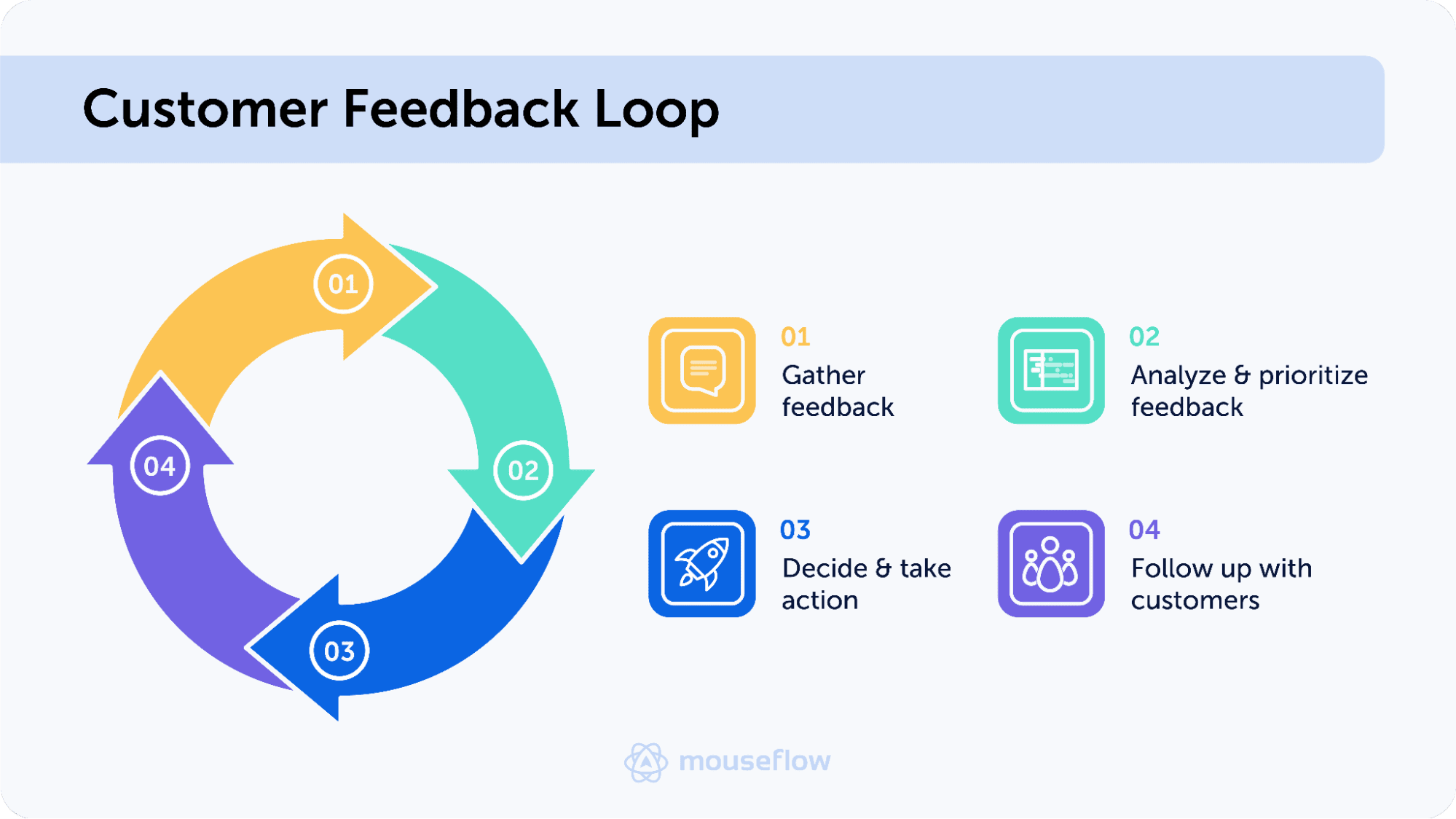
A customer feedback loop that could be applied to different areas of SaaS, from product to marketing and customer support and success.
The important part is not just gathering feedback. The value comes from using feedback to improve the experience, then collecting new feedback to understand whether those changes actually worked.
For example, if users repeatedly mention confusion during checkout, the feedback loop does not end after identifying the problem. The checkout experience is updated, user behavior is monitored again, and new feedback is collected to validate whether the friction was reduced.
Without this final validation step, teams often mistake activity for improvement.
Why most user feedback loops fail
Many organizations collect feedback without building a system around it.
This usually happens for one of three reasons.
First, feedback is disconnected from behavior data. A survey response saying “checkout was confusing” becomes much more actionable when paired with session recordings or behavioral signals that reveal where the confusion happened.
Second, teams often focus too heavily on individual comments instead of patterns. One frustrated user does not necessarily indicate a systemic issue. Repeated signals across multiple users are what usually matter.
Third, many teams never validate whether their changes improved the experience. A redesign may feel like progress internally, but without continued feedback collection, there is no reliable way to measure the actual impact on users.
This is why high-performing teams treat feedback as a continuous optimization process rather than a one-off exercise.
The 4 stages of a user feedback loop
1. Collect feedback in context
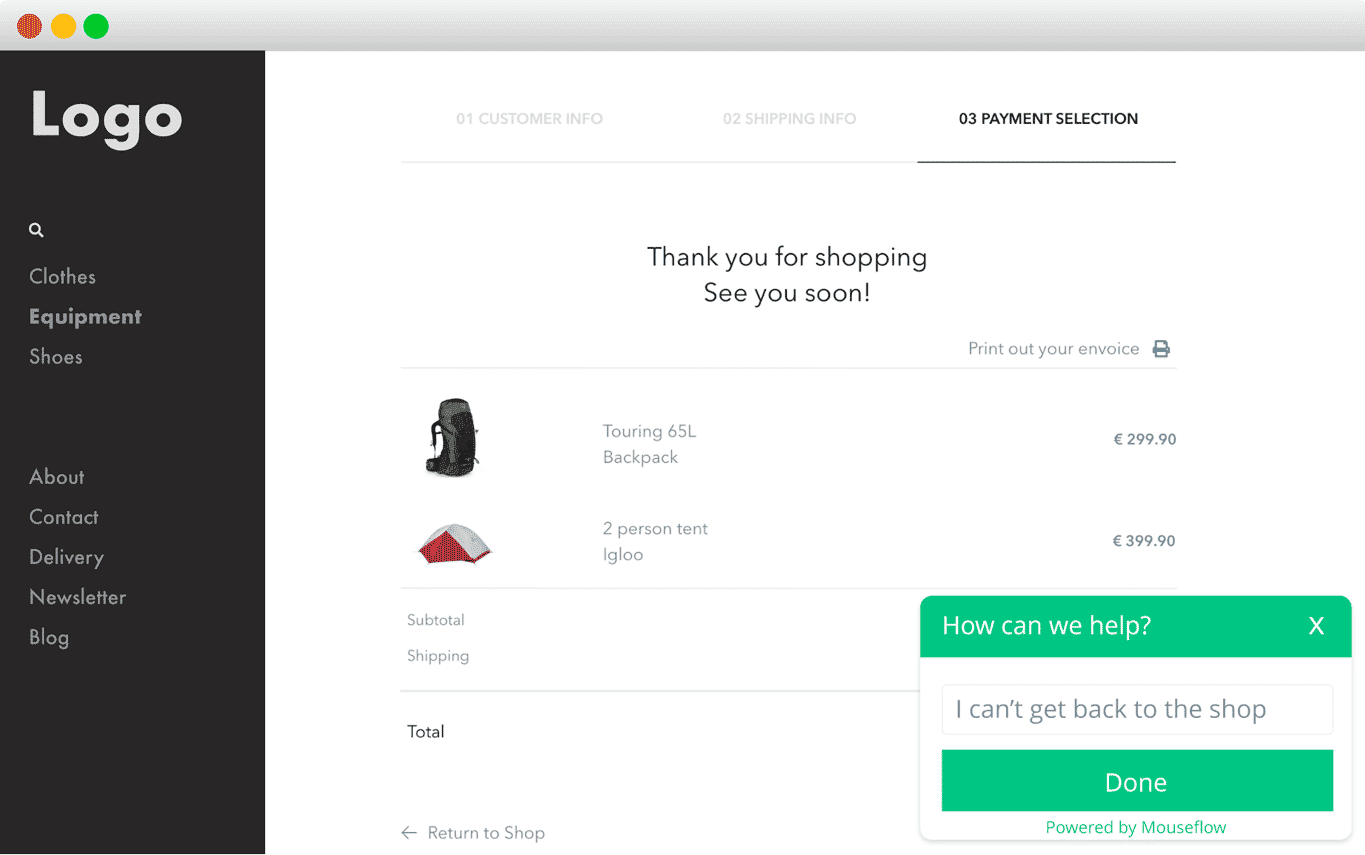
The first step is gathering feedback at moments where users are actively experiencing friction, uncertainty, or success.
Timing matters. Asking generic questions at random points in the journey often produces vague responses. Contextual feedback tends to be significantly more actionable.
For example, ecommerce teams often trigger surveys:
- when users abandon checkout
- after a purchase
- on high-intent product pages
- when users show signs of friction or hesitation
This helps uncover what users were trying to achieve and what prevented them from completing the journey successfully.
If you are building surveys, choosing the right questions is just as important as timing. Our guide to feedback survey questions for website visitors covers practical examples of what to ask and when.
2. Analyze feedback for patterns and friction
Once feedback is collected, the next step is identifying meaningful patterns.
This usually involves grouping feedback into recurring themes such as:
- usability issues
- unclear messaging
- pricing concerns
- missing information
- technical friction
The most effective analysis combines qualitative feedback with behavioral insights. A user saying “I could not complete checkout” becomes much more valuable when paired with session replay data that shows repeated click attempts or hesitation during payment.
As feedback volume grows, AI can help speed up analysis. Teams increasingly use tools like ChatGPT to summarize responses, detect sentiment trends, and identify recurring themes across large datasets. Our guide to ChatGPT prompts for sentiment analysis explains how this works in practice.
The goal is not simply to collect opinions, but to identify actionable signals that can guide improvements.
3. Act on feedback and implement improvements
This is the stage where many feedback systems break down.
Insights only become valuable when they influence decisions and lead to meaningful changes.
Depending on the problem, this could involve:
- simplifying a checkout flow
- improving onboarding
- clarifying product messaging
- removing friction from forms
- improving mobile usability
In ecommerce, feedback often reveals purchase blockers that analytics alone cannot explain. Questions around shipping costs, return policies, product information, or trust signals frequently surface during feedback collection.
For example, teams collecting feedback directly on product pages often discover that users hesitate because they cannot find sizing information, shipping details, or answers to common concerns. Addressing these issues can have a measurable impact on conversion rates.
4. Validate the outcome and continue the loop
Closing the user feedback loop means validating whether the changes actually improved the experience.
This is where the process becomes continuous.
After implementing updates, teams should continue monitoring:
- user feedback
- conversion trends
- friction signals
- engagement patterns
If friction decreases and feedback improves, the changes likely solved the problem. If the same complaints continue appearing, additional improvements may still be needed.
This validation stage is what separates a true feedback loop from simple feedback collection.
Over time, this process creates a continuous cycle of learning and optimization where every iteration helps teams better understand user behavior and improve digital experiences more confidently.
Examples of user feedback loops in practice
User feedback loops become much more valuable when they are tied to specific moments in the user journey. In practice, the process usually starts with identifying friction, collecting contextual feedback, implementing improvements, and then validating whether the experience actually improved.
The examples below illustrate how teams use continuous feedback loops to optimize digital experiences and reduce friction over time.
Ecommerce checkout optimization
An ecommerce team notices high checkout abandonment rates and declining conversion performance. Analytics clearly show where users drop off, but not why they leave before completing their purchase.
To uncover the underlying friction, the team launches a short exit survey asking users what prevented them from checking out successfully. Repeated responses mention unexpected shipping costs, confusion around payment options, and uncertainty about delivery times.
Session recordings confirm the pattern. Many users hesitate during the shipping step, repeatedly moving between payment and delivery sections before abandoning the flow entirely. This type of friction is one of the most common reasons why ecommerce conversion rates remain low despite strong traffic volumes.
Using these insights, the team simplifies shipping communication, improves checkout clarity, and restructures the payment step to reduce uncertainty. After the changes go live, they continue collecting feedback and monitoring user behavior to validate the impact.
Over the following weeks, checkout completion rates improve, frustration-related feedback decreases, and fewer users abandon the flow during payment.
This is what a complete user feedback loop looks like in practice: feedback identifies the problem, behavior data adds context, improvements are implemented, and new feedback validates whether the experience actually improved.
SaaS onboarding improvements
A SaaS company notices that many new users sign up for the product but never fully activate. Analytics reveal where users drop off during onboarding, but not what is causing the friction.
To better understand the problem, the team launches onboarding feedback surveys asking users what feels unclear, difficult, or missing during setup. A consistent pattern quickly appears. Many users mention confusion around setup steps, feature discovery, and understanding what to do next after account creation.
Using this feedback alongside session replays, the team identifies exactly where users hesitate or abandon the onboarding flow. They simplify the setup process, improve onboarding guidance, and reduce unnecessary complexity during the first-time user experience.
After the changes are implemented, the team continues collecting feedback and monitoring onboarding behavior to validate the impact. New responses show improved clarity, fewer frustration signals, and higher user satisfaction during onboarding.
This type of continuous optimization is especially important in SaaS environments where onboarding friction directly impacts retention, activation, and feature adoption. Our guide to user feedback for SaaS explores this process in more detail.
How to build a sustainable user feedback loop
Strong feedback loops are usually simple, not overly complex.
The goal is not to collect as much feedback as possible. It is to create a repeatable system where feedback consistently informs decisions and improvements.
This typically works best when:
- feedback is collected in context
- behavioral data supports feedback analysis
- ownership is clearly defined
- feedback is reviewed regularly
- changes are validated after implementation
It is also important to avoid overwhelming users with constant surveys or feedback requests. High-quality feedback often comes from shorter, targeted interactions rather than long questionnaires.
Most importantly, feedback loops should become part of how teams operate continuously, not just during redesigns or major launches.
Conclusion
A user feedback loop is not just about collecting opinions. It is about building a continuous system for understanding users, improving experiences, and validating decisions over time.
The most effective teams do not rely solely on analytics or assumptions. They combine user feedback with behavioral insights to understand where friction exists, why it happens, and whether improvements are actually working.
When feedback collection, analysis, and action work together continuously, user feedback becomes much more than a research method. It becomes a reliable framework for improving UX, reducing friction, and driving better business outcomes over time.